One living canvas for images, video and storyboards.
Wire a prompt into an image, a storyboard into a cut, a reference clip into a remake. Every node keeps its prompt, engine and settings — and Loops can build, read or riff on any of them.
Everything an ad is made of. As nodes.
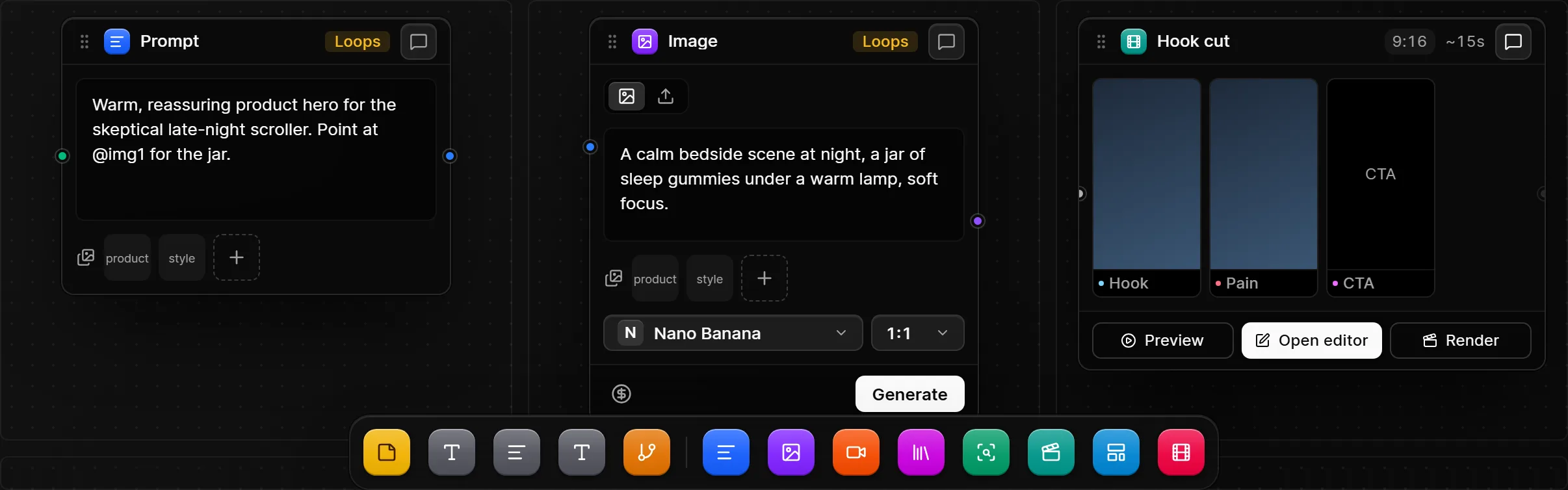
Drop them from the dock, wire them together, and pick the engine per node. Loops can lay the whole thing out for you, and any node opens a conversation about itself.
Prompt
The words behind the picture — wired into any image or video node, with your product and style references attached.
Image
Nano Banana, Seedream, Imagen, Flux, Ideogram, Recraft or GPT Image. New variation spawns a sibling, so nothing gets overwritten.
Video
Kling, Seedance, Veo, Sora 2, Hailuo or Luma — start and end frames, durations and aspect ratios per model.
Analyze
Wire a reference clip in, press Analyze, and its blueprint lands on the board — ready to feed prompts and storyboard scenes.
Scenes, takes, a cut. On one board.
A storyboard node holds the scenes — each with its frames and prompt. Hang a takes node off any scene, render a few, pick the one that works, and the cut follows.
- Several takes per scene; drop any take onto the canvas to riff on it
- Repick a take and the cut’s filmstrip and preview update straight away
- Preview, open it in the editor, or render
Same concept. Every engine. Side by side.
The image grid puts concepts on the rows and an engine on each column, so you compare what Nano Banana, Seedream and Ideogram do with the same idea — and keep the frame that wins.
- Branch a concept into variants without losing the original
- B-roll grids do the same for video: shot ideas on the rows, one controlled change across the columns
- Save a node or a whole branch as a template — for this workspace, all your workspaces, or public
Wire the research in. Loops reads what’s connected.
The project canvas is where strategy starts: products, YouTube, Instagram and TikTok videos, websites, Meta ads, documents and research — each a node. A Context Filter decides what flows downstream, and a Loops node works from exactly that. Toggle a source to see it.
Filter what connected sources send downstream into Loops.
Reading 5 connected sources: “does it leave you groggy?” is the one that repeats…
One canvas. Paid for once.
Lifetime access for the first 40 — one payment, no subscription. Bring your own AI credits; we cover the app.